
Honista APK Latest Version v13.0 for Android
Download Images, Videos and Stories
Version v13
~153 MB
Android 9+
Free
Security Verified
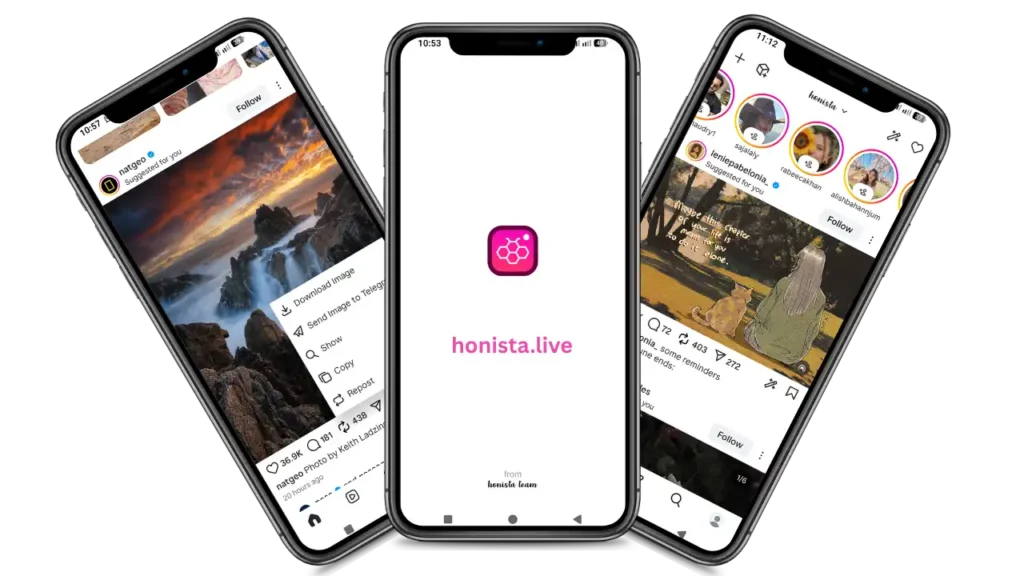
Instagram is fine. But if you’ve been using it long enough, you already know what’s missing. The ads that interrupt everything. No way to download a reel without a third-party app. Stories you can’t view without showing up in someone’s viewer list. The official app has never fixed any of that. Honista does.
This page has the direct Honista APK download link for the latest version v13.0. You will get to know what it actually does, how to install it, and why people keep choosing it over the official Instagram app.
What Is Honista APK?
Honista is an Android app built to enhance the Instagram experience with additional features. It runs on your existing Instagram account. Same feed, same DMs, same people you follow. The difference is everything the official app refuses to give you.
No ads. Full media downloads. Ghost mode. Custom themes. All of it free, no subscription required. It’s not a separate social network. You don’t need a new account. Just install it, log in with your Instagram credentials, and you’re using Instagram the way it should have been from the start.
Honista APK Download – Before You Install
Honista app isn’t available on the Google Play Store, so it’s distributed as an APK file which is a common method for installing apps outside official app stores. Check your device meets these before you download Honista APK:
Android Version
9.0 or higher
Storage Required
Around 150MB free
Internet Connection
Active Wi-Fi or data
Instagram Account
You’ll need one to log in
How to Download and Install
Honista APK on Android?
Follow these easy steps to download Honista apk v13.0 for Android.
Allow installs from unknown sources
Open Settings on your Android. Go to Apps or Security, then find “Install unknown apps” or “Install from unknown sources.” Turn it on for your browser or file manager. This is a one-time step.
Download the Honista APK
Hit the download button on this page. The file saves straight to your Downloads folder. It’s around 153MB so it won’t take long.
Install the file
Open your Downloads folder. Tap the Honista APK file. Follow the on-screen prompt. Done in seconds.
Log in with your Instagram account
Open Honista from your home screen. Enter your Instagram username and password. You’re in. Everything looks familiar because it basically is Instagram. Just with a lot more under the hood.
Is Honista APK Safe to Download?
This comes up a lot and its worth addressing properly.
The file on this page is the original Honista APK, with nothing extra bundled in. No hidden permissions. What you download is exactly what installs on your phone.
The broader question people ask is whether using an external Instagram app is risky for your account. Honista has been around long enough that the answer is reasonably clear.
Used normally, accounts don’t get flagged. The risk only shows up when people go overboard like mass following, aggressive automation, that kind of thing. Regular everyday use carries very little risk.
Is Honista APK Safe to Download?
This comes up a lot and its worth addressing properly.
The file on this page is the original Honista APK, with nothing extra bundled in. No hidden permissions. What you download is exactly what installs on your phone.
The broader question people ask is whether using an external Instagram app is risky for your account. Honista has been around long enough that the answer is reasonably clear.
Used normally, accounts don’t get flagged. The risk only shows up when people go overboard like mass following, aggressive automation, that kind of thing. Regular everyday use carries very little risk.
Key Honista Features
Download Anything with One Tap
This is the feature that gets most people through the door. Posts, reels, stories, IGTV videos, profile pictures all downloadable in full HD quality. No third-party downloader app needed. Just tap and it saves to your gallery.
- Posts & Reels in full HD
- Stories & IGTV videos
- Profile pictures
- Saves directly to gallery
The official Instagram app has never allowed this. Download Honista APK to makes it effortless.
Ghost Mode – Browse Without Leaving a Trace
Ghost Mode is Honista’s most talked-about feature. Turn it on and your activity becomes invisible.
- Watch someone’s story. Your name won’t appear in their viewer list.
- Read a DM. No read receipts sent.
- Go online. Your active status stays hidden.
- Join a live. No notification goes out that you joined.
It’s complete invisibility. People who value privacy whether for personal reasons or just because they don’t want every action tracked rely on this constantly.
Zero Ads
No sponsored posts. No story ads. No promoted content interrupting your scroll. The entire feed is clean. Once you’ve used Instagram without ads for a week, going back to the official app feels jarring.
Custom Themes and Full UI Control
Honista comes with 50+ themes. Dark mode, light mode, AMOLED black, custom color schemes. You can also change fonts, emoji styles, and layout options. The app looks the way you want it to look, not the way Instagram decided it should.
Hide Your Online Status
Different from Ghost Mode. This one specifically hides the green “Active Now” dot from your profile. You can be on the app without anyone seeing you’re online.
Useful for anyone who doesn’t want to deal with “I can see you’re online, why aren’t you replying?” situations.
Multiple Account Support
Switch between accounts without logging out. If you manage a personal account and a business or creator account, this saves a lot of time. Both accounts accessible from the same app.
App Lock
Add a PIN or fingerprint lock to Honista itself. Even if someone picks up your phone, they can’t open the app without the code. Good extra layer of security for people who share devices or just want peace of mind.
How Honista Compares to Official Instagram?
Feature | Official Instagram | Honista App |
|---|---|---|
Download photos and videos | ❌ | ✅ |
Ghost Mode | ❌ | ✅ |
Ad-free browsing | ❌ | ✅ |
Custom themes | ❌ | ✅ |
Hide online status | ❌ | ✅ |
Multiple accounts | Limited | ✅ |
App lock | ❌ | ✅ |
Free to use | ✅ | ✅ |
Why People Switch to Honista and Don’t Go Back?
The honest reason is simple. Once you’ve:
The official app starts feeling like a downgrade. Honista has over 5 million active users. That number didn’t happen because of marketing. It happened because people tried it, liked it, and told others.
The app gets updated regularly. Bugs get fixed. New features land. It doesn’t feel like an abandoned side project. It feels like something people are genuinely building. Also try Honista Lite if you want minimalist experience of Honista.
It’s also worth saying that the learning curve is flat. If you already use Instagram, you already know how to use Honista. Everything is in the same place. The extra features are easy to find in settings. There’s no adjustment period.
Frequently Asked Questions
Is Honista APK free to use?
Yes, completely free. There are no subscriptions, no locked features, and no hidden charges. Once you install it, everything is available right away.
Do I need to uninstall Instagram before installing Honista?
No. Both apps can run on the same phone without any issues. You can keep the official Instagram app and use Honista alongside it.
Will my Instagram account get banned for using Honista?
For normal usage, people don’t run into problems. The issues usually come from extreme actions like automation or aggressive following/unfollowing. If you’re just using it like a regular account, the risk stays very low.
How do I update Honista to the latest version?
Updates don’t come through the Play Store. When a new version is released, you just download the updated APK file from our website and install it over the existing one. Your data and login stay intact.
Where do downloaded photos and videos go?
Everything you download is saved directly to your phone’s gallery. You don’t need to go searching for files or use a separate app. It shows up like any normal photo or video.